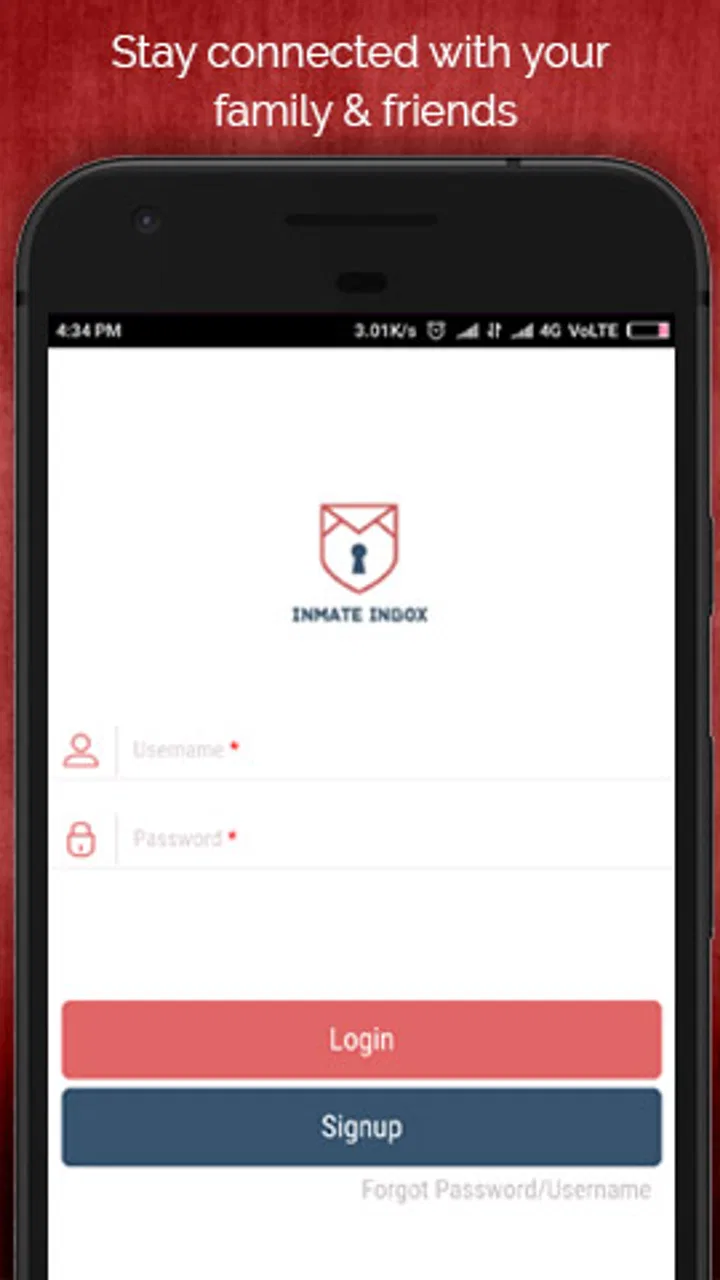
Inmate Inbox
- 4.2
- Rating
- 100.00K
- Installs
- Free
- Price

 Analysis by App-foxy
Staying in touch with someone in custody is not quite like keeping up with an ordinary messaging app. The practical challenge is usually creating a dependable channel for written communication, remembering the right contact details, and accepting that messages may follow a different rhythm from normal chat. In my experience, Inmate Inbox is aimed at that specific situation rather than trying to replace WhatsApp, Messenger, or standard email.
It is a free communication app from Inmate Inbox, with optional in-app purchases priced from $7.21 to $20.00 per item. Its purpose is straightforward: help families and friends maintain contact with an inmate through a dedicated mobile experience. That narrow focus is its main strength, but it also means the app makes the most sense for a particular audience. If you simply want fast, unrestricted messaging with ordinary contacts, this is not the tool I would choose.
How the app feels during everyday use
I find the everyday value of Inmate Inbox less in keeping a conversation constantly active and more in giving family contact a clear place to happen. That shift can make it easier to give a message proper attention, prepare it carefully, and avoid checking a general chat app for a reply that may take time. The next section looks at how that slower, more deliberate rhythm shapes the actual conversation.
You May Also Like

 Blood Strike: 2.5 Anniversary
Blood Strike’s Loadouts Turn Every Drop Into a Tactical Gamble
A close look at Blood Strike’s custom loadouts: how fast access to signature weapons reshapes its battle royale rhythm, rewards preparation, and narrows the gap between fights.

 Pandora - Music & Podcasts
Pandora’s Music Is Easy to Start, but Harder to Recover
Pandora’s strength is its low-effort path from a seed to a station. Its weak spot is how much confidence it asks you to place in connection, setup, and quiet recovery.

 8 Ball Pool
 Is Built on Rivalries, Rematches, and Routine
A close look at the rivalries, rematches, shared routines, and unanswered safety questions that turn a quick pool match into a persistent mobile community.

 Samsung Music
’s Quiet Strength Is Playing What You Already Own
Its reach comes less from spectacle than from dependable access to a personal library. That simplicity is both the app’s strongest retention engine and its ceiling.

 AccuWeather: Weather Radar
AccuWeather Review: A Quick, Clear Forecast for Everyday Decisions
For everyday plans, the best forecast is the one you can understand quickly. AccuWeather makes rain timing, radar, and local conditions easy to act on, with a few trade-offs.

 Hill Climb Racing
Why Hill Climb Racing Still Turns Crashes Into One More Run
A tiny car, a bumpy hill and one more upgrade: Hill Climb Racing keeps resurfacing because its simple chaos makes every near-miss feel personal.
More From Our News Desk
View All News


Speed expectations: useful when the task is simple
The first thing I noticed about an app like this is that speed should be judged by the complete communication process, not just by how quickly a screen opens. Inmate Inbox is designed around a focused purpose, so the interface does not need to compete with the feature overload found in large social platforms. That makes the basic experience easier to understand: open the app, find the relevant contact or communication area, and continue with the task at hand.
That simplicity is valuable for relatives who are not especially comfortable with technology. A parent, grandparent, or friend may not want to learn a complicated social network just to send a message. The app’s communication-first identity keeps the goal visible instead of surrounding it with feeds, public posts, games, or unrelated notifications. I found that kind of narrow design more reassuring than a crowded platform when the only important outcome is staying connected.
Still, it is important to separate app responsiveness from message delivery. A screen can respond quickly while the communication itself follows institutional review, scheduling, or processing rules outside the app. I would not use Inmate Inbox with the expectation that it behaves like an instant chat window. The better expectation is a structured way to send and manage contact, with the understanding that the recipient’s access may not be immediate.
A useful habit is to prepare the message before opening the app. I keep the main point clear, check names carefully, and avoid treating the conversation like a rapid back-and-forth exchange. That workflow reduces unnecessary editing and makes the app feel more efficient, especially when communication is emotionally important and I do not want to waste time searching through a cluttered interface.
What happens during heavier use
The demanding moments are unlikely to come from entertainment features or constant scrolling. They are more likely to happen when several family members are trying to coordinate communication, when a user needs to revisit older exchanges, or when an important message has to be prepared carefully. In those situations, the app’s value is less about raw speed and more about keeping the process orderly.
For a family, I would recommend agreeing on a simple communication routine before everyone starts using the app independently. One person can keep the contact information organized, another can handle regular updates, and everyone can avoid sending duplicate messages about the same topic. This is a small but useful advantage of a dedicated channel: it encourages people to treat contact as a shared responsibility rather than scattering it across unrelated services.
There is also a practical emotional benefit to separating this communication from ordinary social apps. A message intended for an inmate can contain personal news, family updates, or encouragement that deserves attention. Keeping that exchange in a purpose-built app makes it less likely to disappear among social notifications. I would not call this a hidden feature, but it is an important workflow advantage that a short store description does not explain.
The trade-off appears when a family expects several people to use one account or contact arrangement at once. Before relying on it for a group routine, I would decide who is responsible for checking the account and confirming that messages were prepared correctly. A dedicated communication tool can improve organization, but it does not automatically solve family coordination. Without a clear routine, several users may create confusion instead of reducing it.
Reliability matters more than novelty
For this kind of app, reliability means more than avoiding crashes. I want the app to make the communication steps understandable, preserve my confidence that I am addressing the right person, and avoid making a serious message feel casual or disposable. Inmate Inbox benefits from being focused on one type of contact, which gives it a clearer role than a general-purpose messenger.
The available user response is encouraging without being a reason to ignore caution: the app holds a 4.2 average from around 710 ratings, with over 200 written reviews. I read that as evidence that many people find the service useful, not as a guarantee that every institution, device, or communication situation will feel identical. Communication involving custody settings can depend on circumstances beyond the app itself, so I would keep expectations realistic.
My strongest reliability tip is to avoid using the app as the only place where important personal information exists. If a message includes an address, appointment detail, phone number, or family plan, I keep a separate note until the exchange is complete. That is not a criticism unique to this app; it is simply sensible whenever communication may not be instantaneous or may need to be reviewed later.
I would also check the recipient and the message carefully before sending. In an ordinary chat, a mistaken message can sometimes be corrected immediately. Here, the consequences of an error may be more frustrating because the recipient may not see the message at once and the communication process may not allow the same kind of quick correction. A final review is a small step that makes the whole experience more dependable.
Device constraints and everyday practicality
Inmate Inbox supports devices running Android 7.0 or later, so people with older phones should check compatibility before planning around it. That requirement is not especially demanding for a modern handset, but it can matter for a family member using an aging device that has been kept mainly for calls and basic apps.
The app is marked for Everyone, which fits its intended audience. In practice, however, an age label does not remove the need for adult judgment. Communication with an inmate can involve sensitive family circumstances, and a younger user may need help understanding what the app is for, how to communicate respectfully, and why a reply may not arrive quickly.
Resource demands are best considered in context. This is a communication app rather than a graphics-heavy game, so I would expect its ordinary use to be less demanding than video streaming, navigation, or social apps built around constant media loading. I would still keep the phone’s operating system updated where possible and leave enough storage for normal app updates and messages. Those habits improve the odds of a smooth experience without pretending that every performance detail can be judged from the app’s purpose alone.
One device-related limitation is the risk of shared-phone use. If several relatives borrow the same handset, privacy and account separation become more important. I would avoid leaving a communication session open and would make sure the correct person is using the correct account before sending anything. The app can provide a channel, but the phone’s own security and the user’s habits still determine much of the privacy experience.
Where it fits beside ordinary alternatives
Compared with a normal SMS app, Inmate Inbox is more relevant when the recipient is part of a correctional communication process. Standard texting is familiar and fast in everyday life, but it may not be the appropriate route for contacting someone in custody. A dedicated service is easier to understand in that setting because its entire purpose is built around this particular relationship.
Compared with email, the app feels more direct for users who do not want to manage inbox folders, subject lines, and general-purpose accounts. Email remains better when I need to attach a document, keep a formal record, or communicate with several unrelated people. For personal updates and regular family contact, a focused mobile app can feel less formal and easier to return to.
Compared with broad social networks, the advantage is concentration. There is less temptation to browse unrelated content when the reason for opening the app is to communicate with an inmate. The disadvantage is flexibility: a social network may offer richer media tools, group conversations, and a wider set of contacts, while a dedicated service is intentionally narrower. I would choose Inmate Inbox when the specific custody-related connection is the priority, not when I am looking for an all-purpose community platform.
There is also a financial decision to make. The app itself is free to install, but optional purchases range from $7.21 to $20.00 per item. I would review what a purchase does and whether it matches my actual communication needs before paying. Someone who only needs occasional contact should be especially careful not to assume that every available option is necessary. A family communicating regularly may find the convenience worthwhile, but the value depends on use rather than on the app simply being free to download.
Useful routines that make the experience better
My first recommendation is to create a short message checklist. Before sending, I confirm the recipient, reread names and dates, remove details that could be misunderstood, and make sure the message says what I actually intend. This is more useful here than relying on the casual habits I use in ordinary chat.
My second recommendation is to keep a simple communication log outside the app. I note when I sent an important update and what it concerned, without copying sensitive content unnecessarily. That helps me avoid repeating the same question and gives the family a shared sense of what has already been covered. It is particularly helpful when several people take turns communicating.
My third recommendation is to plan for pauses. If I need an answer for a practical decision, I do not build a deadline around an immediate reply. I send the message early, explain the timing clearly, and make a backup plan. This approach prevents frustration and respects the difference between a dedicated inmate communication service and a live messenger.
A fourth useful insight is to separate emotional messages from logistical ones. I might write encouragement in one message and put a complicated family schedule in another, if the service and circumstances make that sensible. Keeping each message focused makes it easier to understand and gives the recipient a clearer response path. It also helps me avoid turning one communication into a dense block of unrelated information.
Who should use it, and who should skip it
Inmate Inbox is a good fit for relatives and friends who need a dedicated way to maintain contact with someone in custody and who are willing to communicate patiently. It is especially suitable for people who want a focused mobile experience instead of managing the connection through several general-purpose services. The app’s audience is clear, and that clarity is more useful than a long list of unrelated features.
I would also recommend it to families that can agree on a consistent routine. The app works best when users know who is communicating, what information needs to be shared, and how they will handle delays. A little organization turns a basic communication tool into a more dependable part of family life.
I would skip it if I needed instant replies, unrestricted multimedia conversation, or a broad social platform for many kinds of contacts. I would also hesitate if I were unwilling to review optional charges carefully. People looking for a conventional texting replacement may find the dedicated focus too narrow, while those who need formal document exchange may prefer email or another specialized service.
The developer, Inmate Inbox, has kept the product centered on its core purpose. The app was released on May 25, 2018, and the current version is 4.16. That history suggests an established product rather than a brand-new experiment, while the version number is a reminder to keep the app updated when possible, particularly on a device that has not received recent software maintenance.
My performance verdict
After considering speed, heavier-use situations, reliability, and device limitations, I see Inmate Inbox as a practical specialist rather than a universal messenger. Its performance is best judged by whether it helps me complete an important communication task without unnecessary distraction. On that measure, its focused design is a real advantage.
The app does not remove the waiting, coordination, or uncertainty that can come with communicating with someone in custody. It cannot make the relationship feel as immediate as a normal chat, and users should not mistake a responsive interface for guaranteed instant delivery. What it can do is give families a clear place to organize this kind of contact and make the process feel less improvised.
My recommendation is positive for the right user: someone who needs this specific communication channel, uses a compatible Android device, and approaches messages with patience and care. I would install it before choosing a general alternative when the recipient is an inmate and the service fits the situation. For everyone else, the narrow purpose and possible in-app costs are good reasons to choose a more conventional communication app instead.
The key takeaway is simple: Inmate Inbox is most valuable when dependable, purposeful contact matters more than instant conversation or a large collection of social features. Used with a clear routine, careful message checks, and realistic expectations about response time, it can become a useful part of staying connected with family and friends.
FAQs for Inmate Inbox
01What is Inmate Inbox and who is it designed for?
Inmate Inbox is a communication app intended to help approved contacts stay in touch with incarcerated individuals through digital messaging and related correspondence services. It is mainly designed for family members, friends, and other authorized contacts. Availability, supported facilities, and communication options can vary, so users should confirm that the correctional institution participates before creating an account or purchasing services.
02How do I create an account and connect with an incarcerated person?
After installing Inmate Inbox, you generally need to register with your personal information and provide details about the incarcerated person, such as their name, identification number, or facility. The connection may require approval or verification by the correctional institution. It is important to enter information accurately, because incorrect details can delay account approval or prevent messages from reaching the intended recipient.
03Are messages sent through Inmate Inbox private and delivered immediately?
Messages sent through Inmate Inbox should not be treated as completely private or instant. Communications involving correctional facilities are commonly reviewed, screened, delayed, or rejected according to institutional rules. Delivery times can depend on staff approval, facility schedules, technical issues, and the recipient’s status. Avoid including prohibited content, sensitive information, or anything that could violate facility communication policies.
04Does Inmate Inbox cost money to use?
The app may be free to download, but some communication features can involve charges, including message credits, attachments, replies, subscriptions, or other facility-specific services. Pricing and available payment options may differ depending on the correctional institution and the type of communication selected. Before completing a purchase, review the displayed fees, refund conditions, and whether unused credits expire.
05What should I do if a message is rejected, delayed, or the app does not work?
If a message is delayed or rejected, first check the facility’s communication rules, the recipient’s account information, and your internet connection. Some messages may be blocked because of prohibited words, attachments, formatting, or recipient restrictions. Updating the app and reviewing its support section can resolve technical problems. For approval, delivery, or account issues controlled by the facility, contact Inmate Inbox support and the institution directly.
Pros
- Makes secure communication with incarcerated loved ones more convenient.
- Supports sending messages without relying on traditional postal mail.
- Can help families stay connected across different locations.
- Digital communication may reduce waiting times for some conversations.
- Useful for organizing contact with approved inmates in one place.
Cons
- Availability and features may vary by correctional facility.
- Messages can be delayed by facility screening and approval procedures.
- Some communications or attachments may require extra payment.
- The recipient may need facility approval before messaging is possible.
- Internet access is required to send and receive messages.

Inmate Inbox
Gallery